Lead Tracking & Pipeline
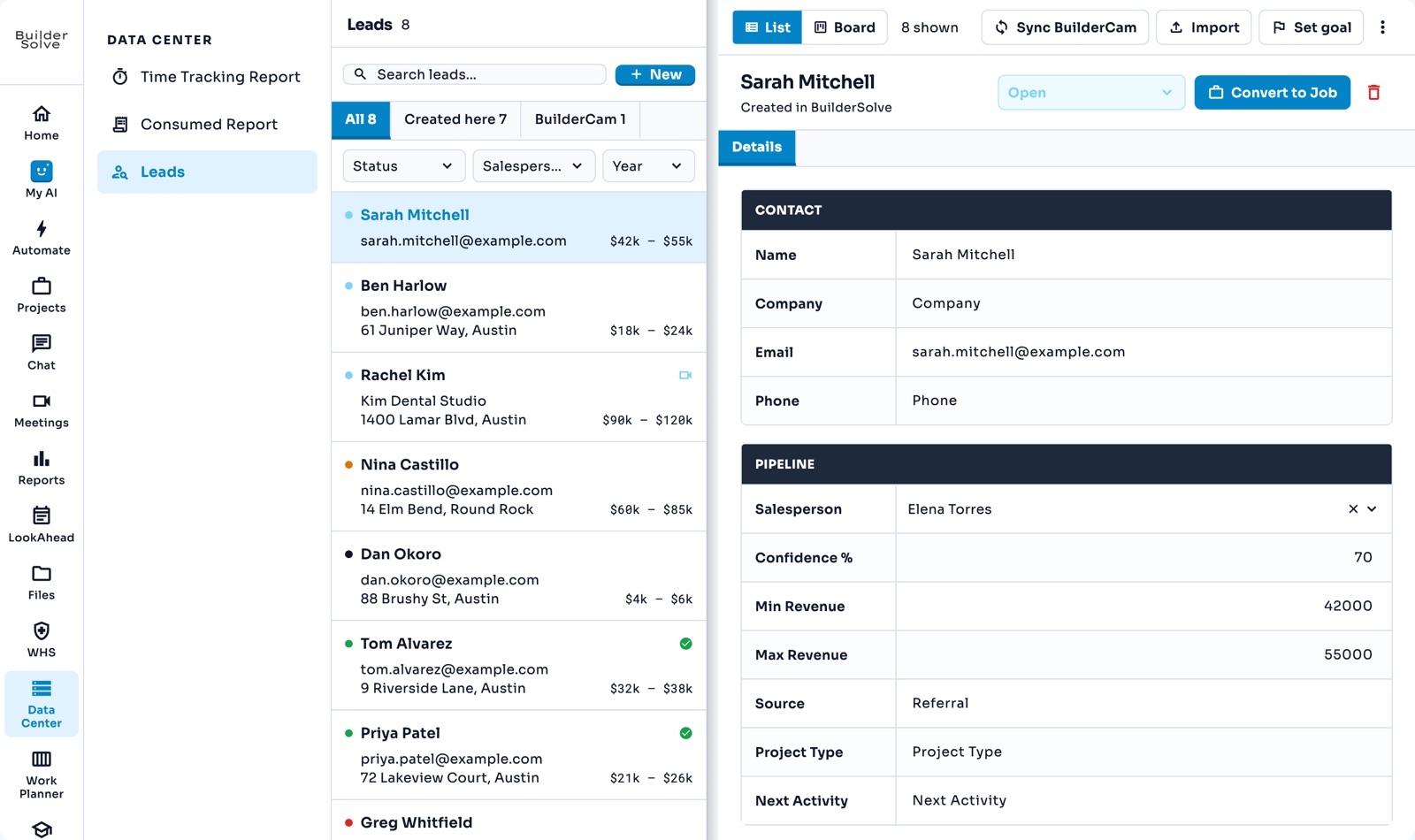
Track every enquiry from the first phone call to a signed job, see what the pipeline is worth, and convert a won lead into a project without typing its details again.
What it does
-
Every enquiry in one list
Add a lead with New and it saves as you type. There is no save button.
-
List or board
Pick a lead to see its details, or switch to Board to see every lead by status: Open, No Opportunity, Sold, Lost or On Hold. Drag a card to move it along.
-
What it is worth
A revenue range, confidence and salesperson on each lead feed the Leads report.
-
Convert to job
One click opens a new project with the client’s name and email already filled in, and the lead is marked Converted.
-
Synced from BuilderCam
Link BuilderCam and its projects arrive as leads, with their photos, recordings, SOWs and PDFs alongside.
-
Import
Bring an existing lead list in from a spreadsheet.
More in Estimate & win
-
Line-item estimates
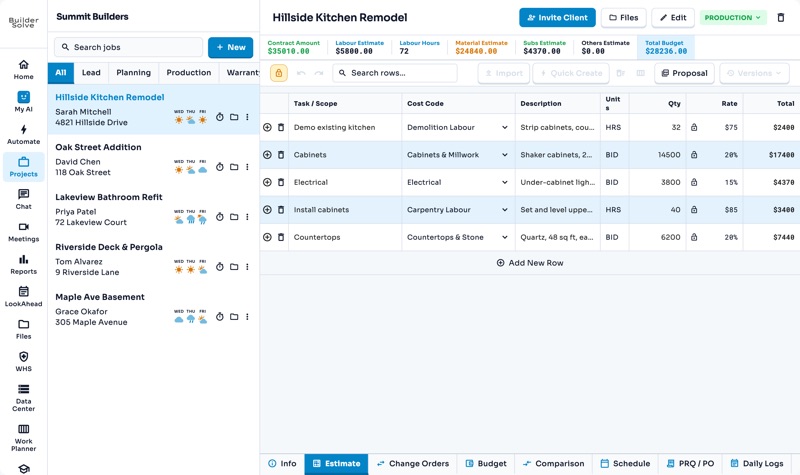
A line per piece of work, a cost code, quantity and rate, and a contract that adds itself up.
-
Quick Create Estimate — AI supported
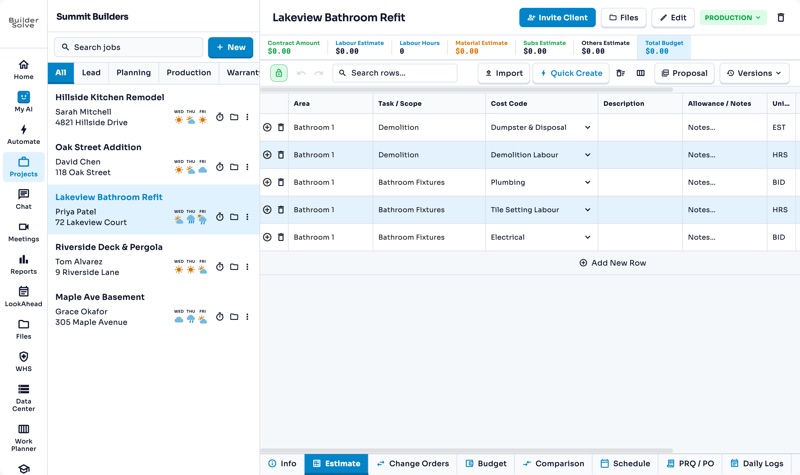
Drop a whole set of lines into an estimate at once, so no bathroom starts from a blank sheet.
-
Proposals
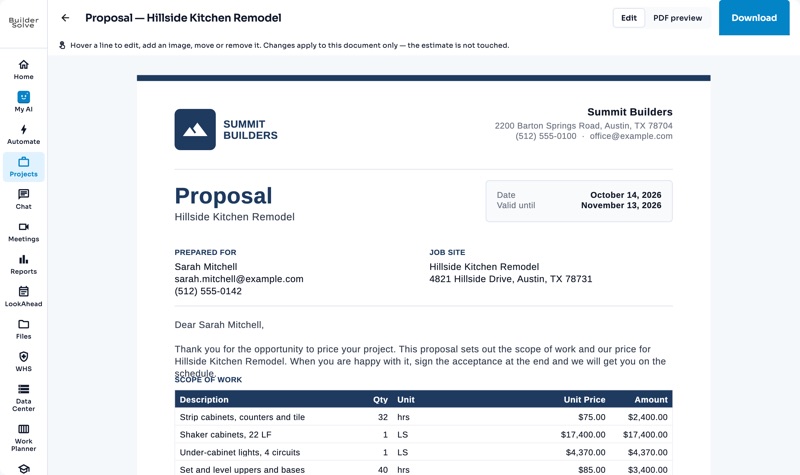
Turn any job’s estimate into a branded proposal PDF in seconds.
-
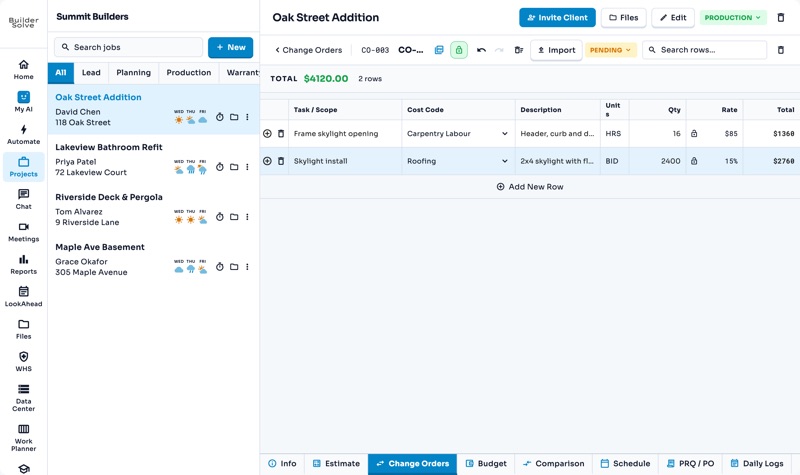
Change orders
Price extra work line by line, get it signed, and see it added to the contract.
See it on your own jobs.
Let's start building.
Every feature is in the trial, with your data, from day one.