Construction Software Migration: Leave Most History Behind
Open jobs and current rates go into the new system, closed jobs go into a searchable archive and the books stay in QuickBooks.
An assistant that knows every job, schedule, crew member and chat. Ask for work in plain words, check the change it prepares, and confirm it with one click.
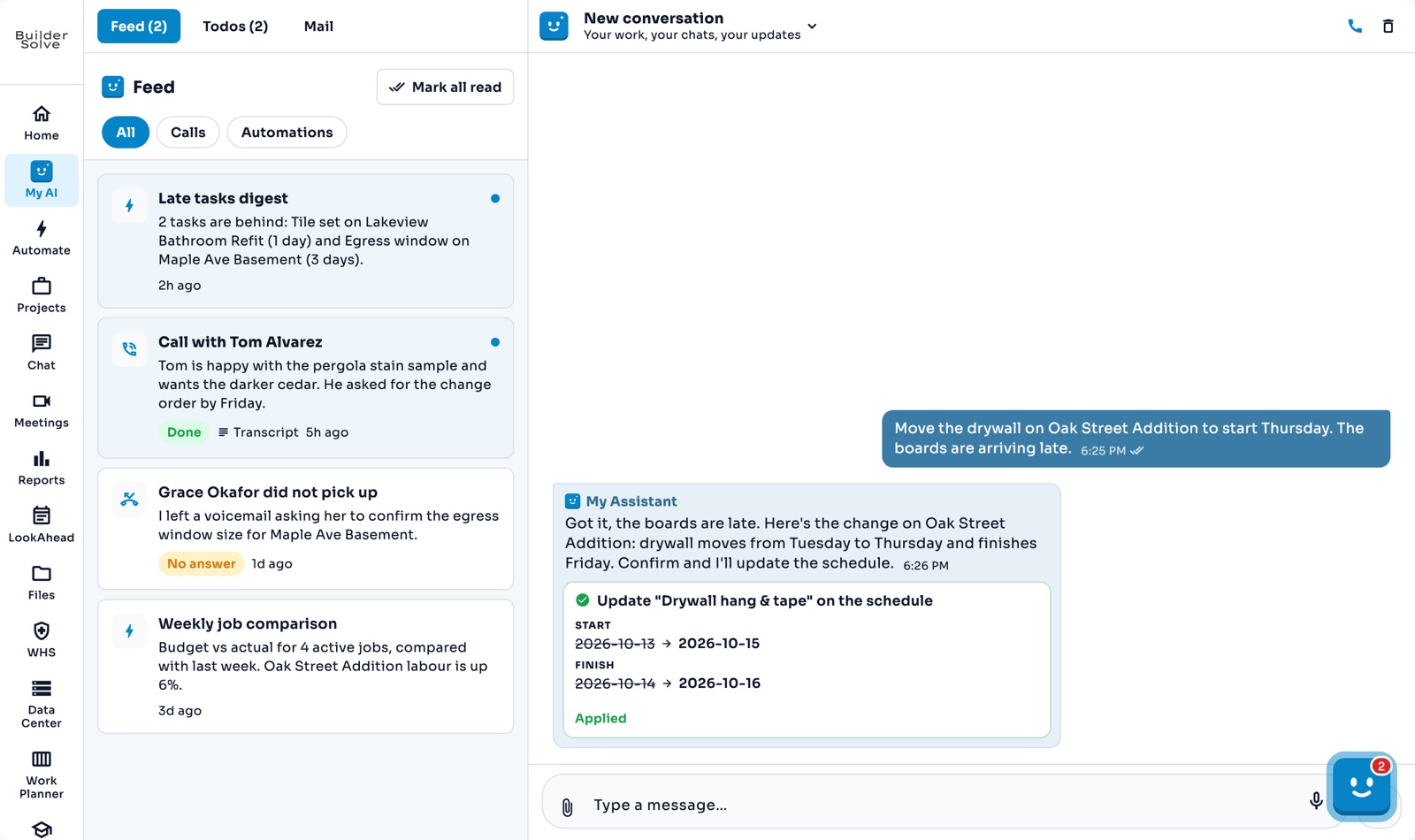
It knows every job, schedule, crew member and chat, so "move the drywall to Thursday, the boards are late" is enough.
Each change arrives as a card with the old value crossed out beside the new one. Only the person who asked can confirm it.
Change orders, daily logs, schedule moves, time entries, work planner entries, meetings, emails and new jobs.
Calls it places for you, automation results and late-task digests land in one Feed, with Todos and Mail beside it.
Open it from any screen with Command or Control J, or click and hold its button to talk to it like a phone call.
Type @ai in a job’s chat to ask about that job, right where the crew is talking.
Open jobs and current rates go into the new system, closed jobs go into a searchable archive and the books stay in QuickBooks.
The trigger for leaving spreadsheets is the second person writing to your numbers, and the six symptoms that show it has already happened.
The AI worth paying for writes the first version of documents your team already produces and catches records that don't agree, and leaves the fortune-telling to someone else.
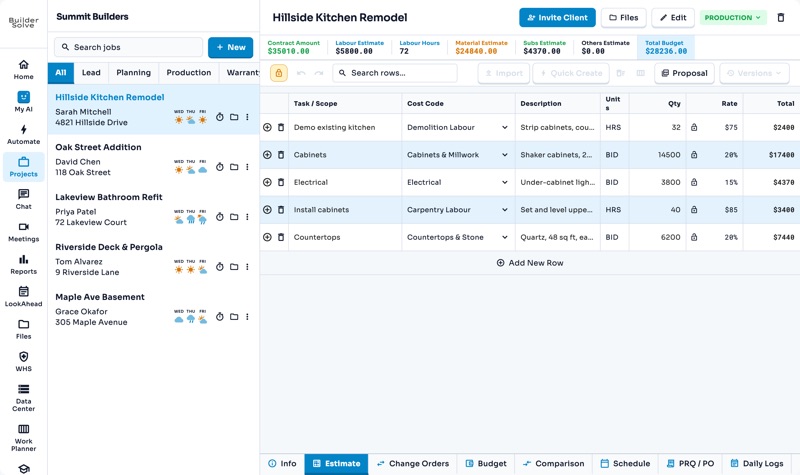
It finds the line you mean, proposes the new rows and rates, and you approve each change.
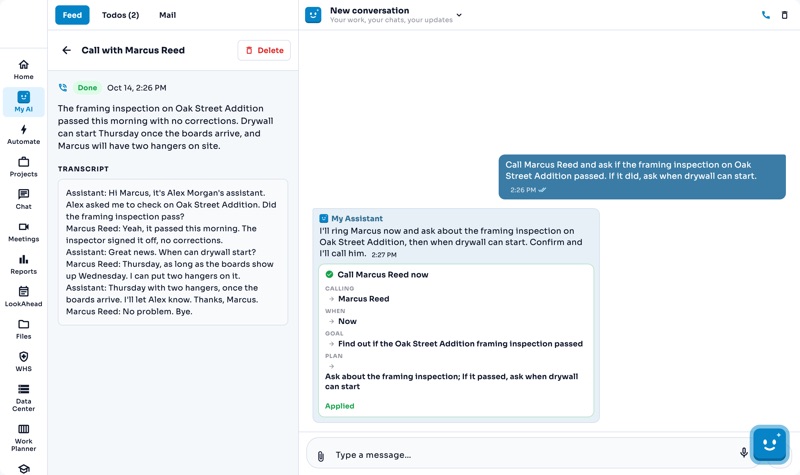
It rings a teammate for you, asks your questions, and posts the summary and transcript.
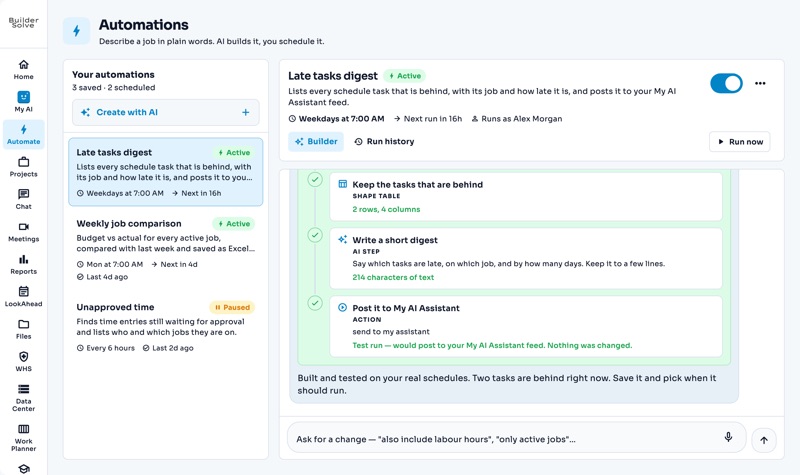
Describe a routine job in plain words. It builds the steps, test-runs them and runs them on schedule.
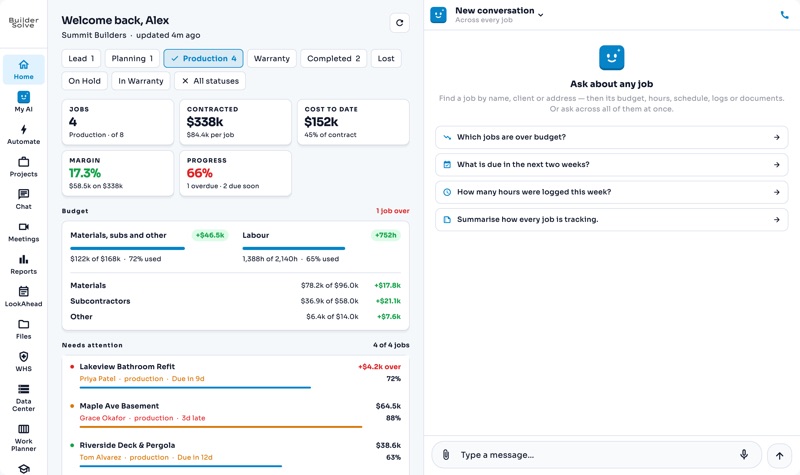
Every job’s figures on one screen, and an assistant that answers across all of them.
Every feature is in the trial, with your data, from day one.