Job & Project Management
Every job keeps its client, site, estimate, schedule, hours and files in one place, moves through the stages you define, and shows only the tabs each stage needs.
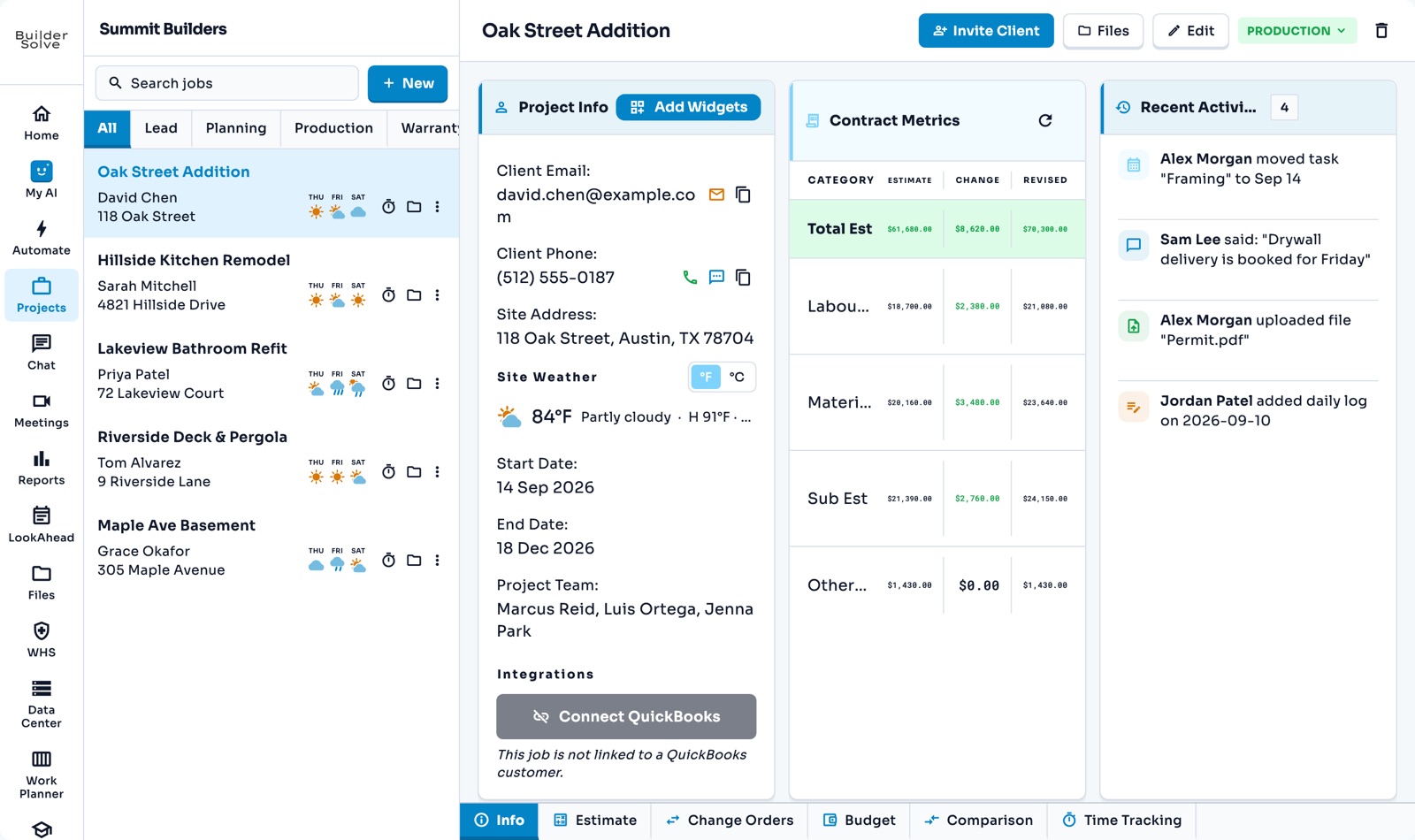
What it does
-
The Info tab
Client contact with email, call and text buttons, the site with its weather, dates, team and contract metrics.
-
Your layout
Choose the sections every job’s Info tab shows, drag them into place and resize them.
-
Your stages
Lead, Planning, Production, Warranty, or your own, like Punch List.
-
The right tabs per stage
A lead shows Info and Estimate; a job in production opens the schedule, daily logs and time.
-
Weather on every job
The job list shows the next three days of weather at each site.
-
Split view
Open a second screen beside the first, like the job on the left and its chat on the right.
More in Schedule & field
-
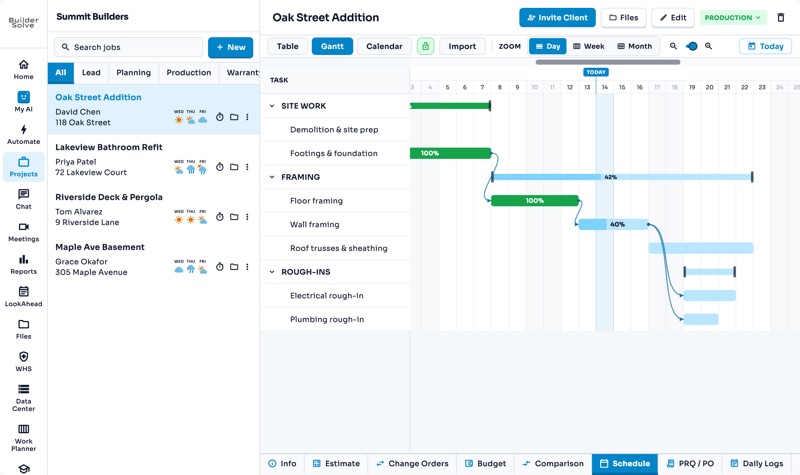
Schedules
Table, Gantt and calendar views of every job’s tasks, with delays that flow through.
-
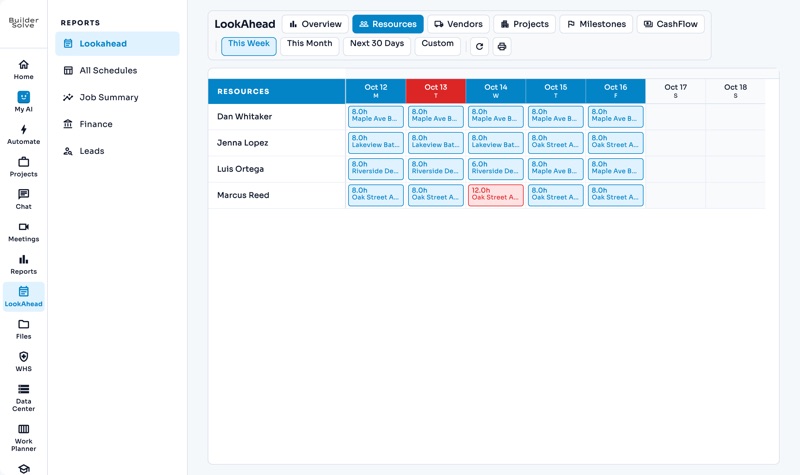
LookAhead
The year ahead across every job: cash flow, upcoming AR & AP, and who is booked where.
-
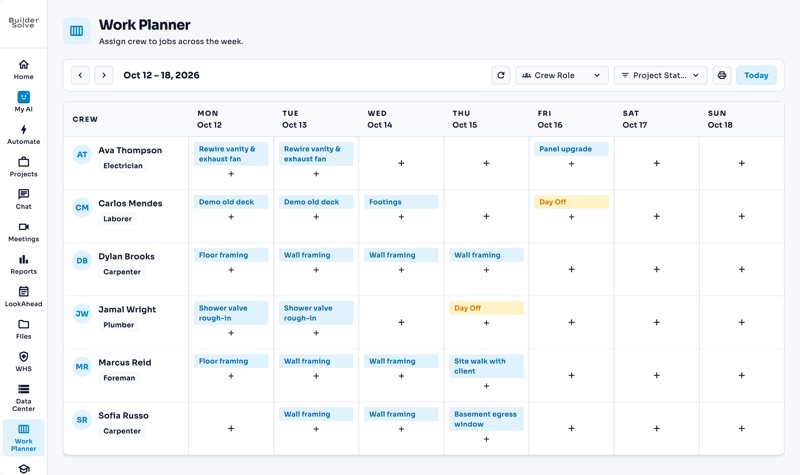
Work Planner
Put each person on a job and task, day by day, on one board.
-
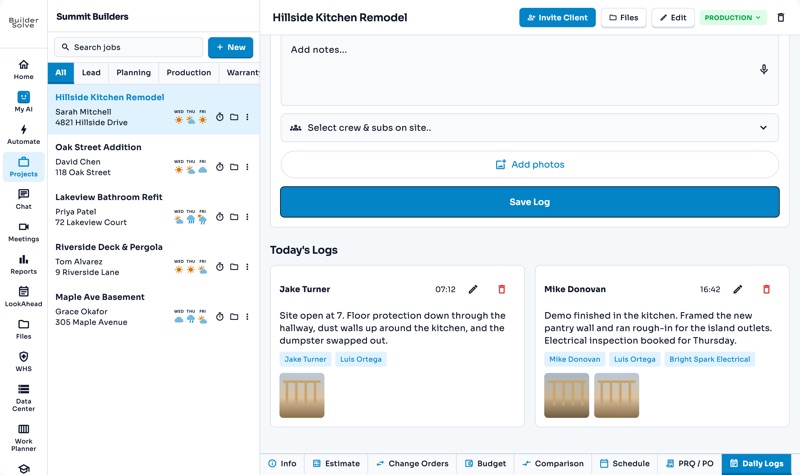
Daily logs
What got done, who was on site and photos of the work, one day at a time.
-
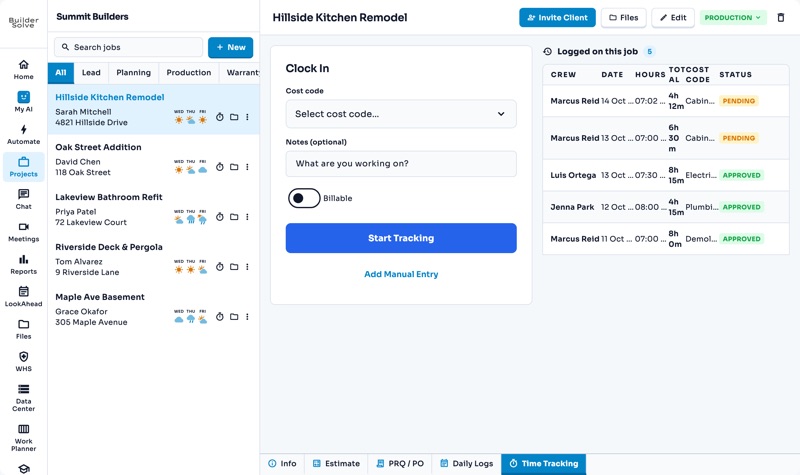
Time tracking
Clock in against a cost code, and every hour lands on the right job and line.
-
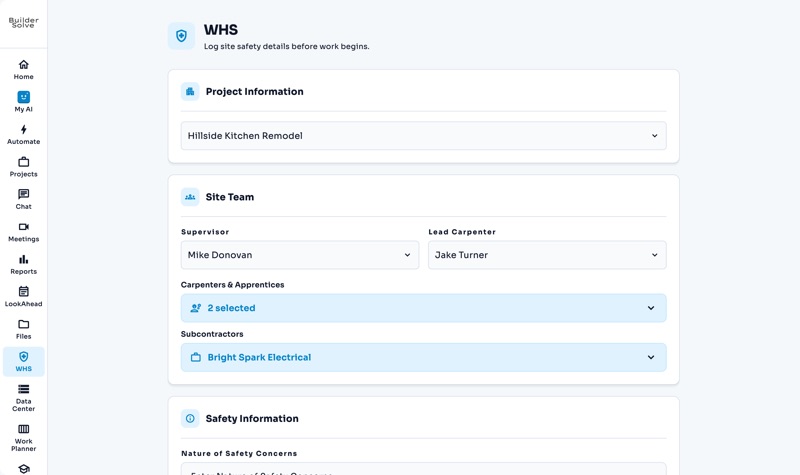
Safety reports
The site team, safety notes and checklists, logged before work begins.
See it on your own jobs.
Let's start building.
Every feature is in the trial, with your data, from day one.