Rework in Construction Must Not Hide in Labour Overrun
When field crews bury corrective hours in standard production trades, estimators pad the next bid instead of fixing the broken jobsite handoff.
Running several jobs means finding the problem on the one you are not standing on. BuilderSolve puts cost, crew and schedule for every job in one place.
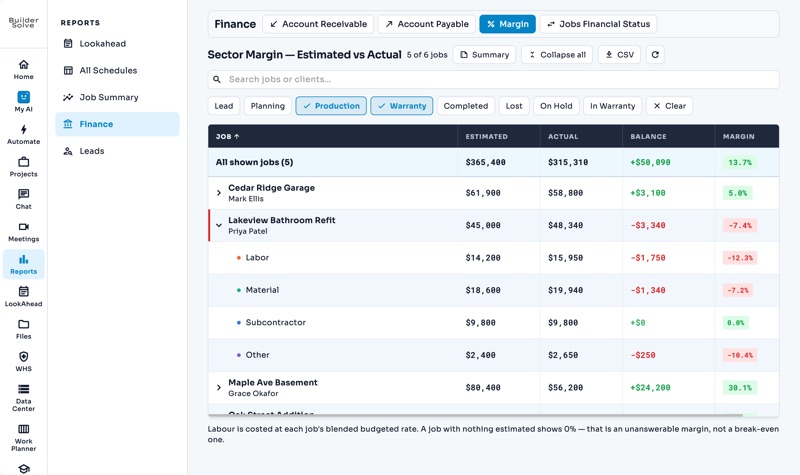
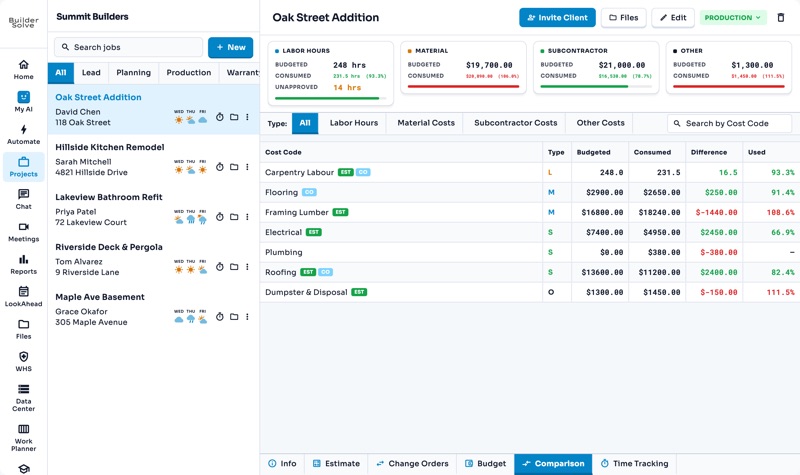
Reports compare estimated and actual margin by job, broken into labor, material, subcontractor and other. Budget vs actual shows overruns by cost code in red while the job is still running.
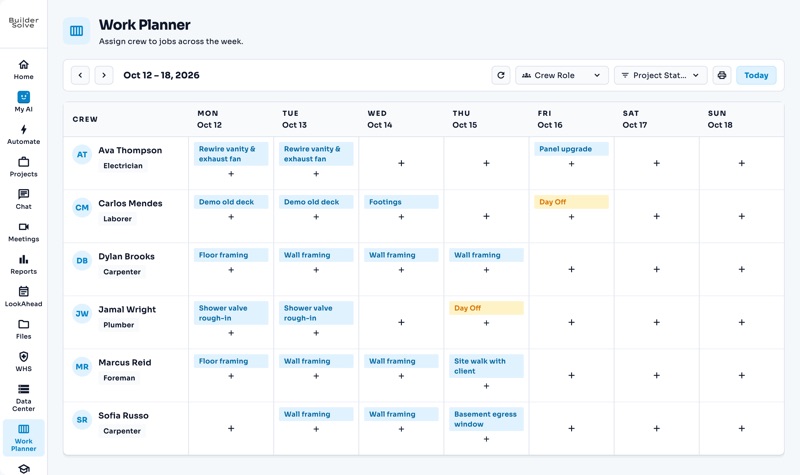
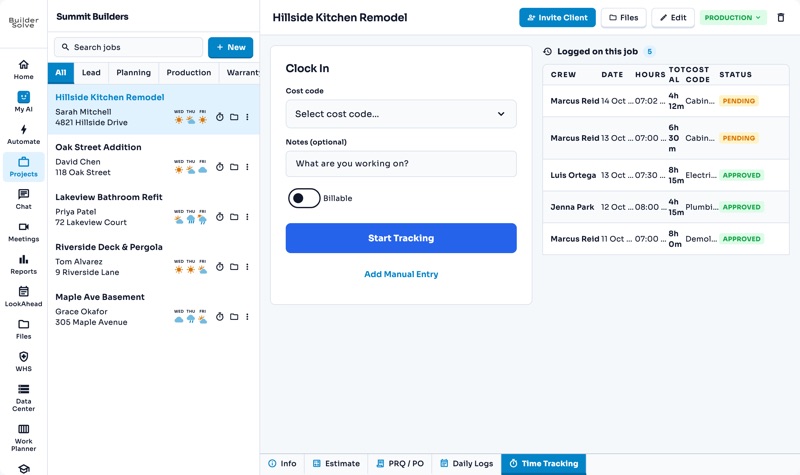
See each person’s hours by day across all jobs, then place people on tasks pulled from each schedule. Crew clock in against a cost code, and approved hours land in job costing.
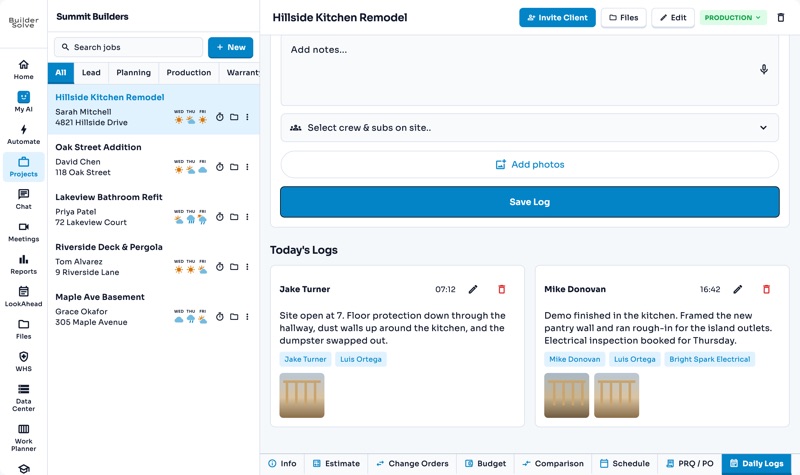
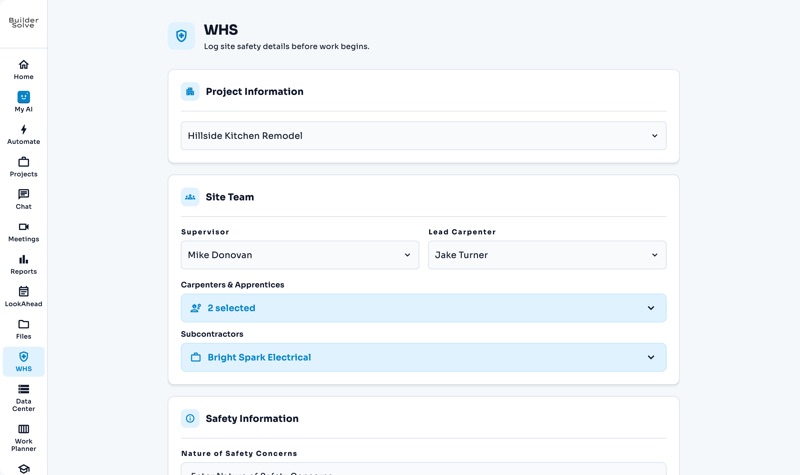
Daily logs hold notes, photos and who was there. Safety reports use a form your company controls and are filed against the job.
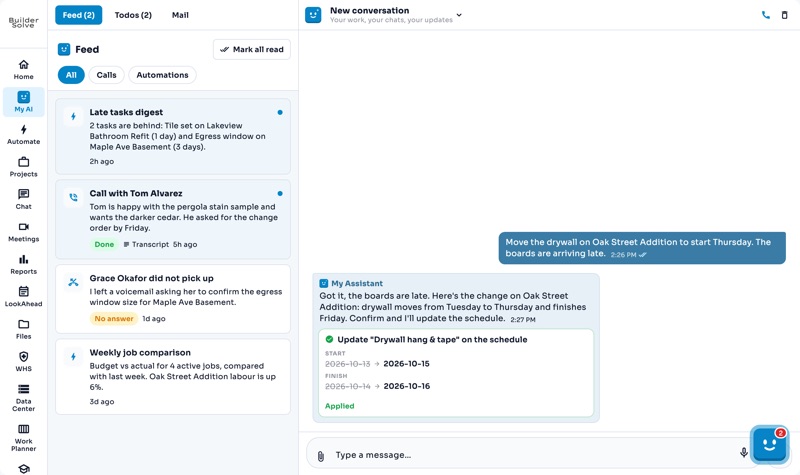
Ask the assistant in plain words for a change order, log, schedule move or time entry. It shows the old value beside the new one, and nothing changes until the person who asked confirms.
Large commercial contractors with a heavy submittal and drawing-control burden are better served by an enterprise platform. We say so on our Procore comparison. See how we compare.
No. Plans are priced per company. Each tier’s people and storage allowances are listed on the pricing page.
Yes, as a separate engagement. A trained team covers estimating, project administration and finance, quoted on scope.
When field crews bury corrective hours in standard production trades, estimators pad the next bid instead of fixing the broken jobsite handoff.
Projects bleed margin when superintendents build on site without knowing the labor hours and exclusions priced into the bid.
Screen trade contractors for live cash flow, active committed work and supply house terms before signing an agreement.