Scheduling Building Inspections as Work Activities
Book inspections against predicted finish dates and tie downstream trades directly to sign-offs to eliminate site downtime.
A custom home runs for months with one client watching. BuilderSolve ties the estimate, schedule, purchasing and payment milestones to the same job.
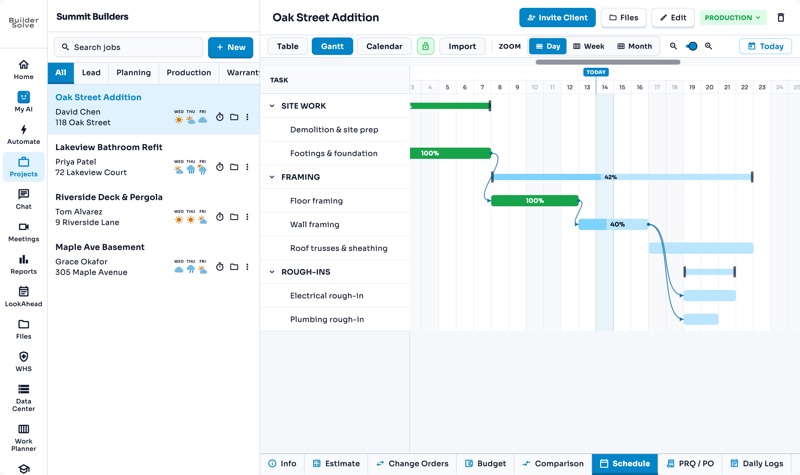
Plan in Table, Gantt or Calendar view. Auto tasks start when the one before finishes, so a delay flows through. BuilderSolve asks before it moves anything, and the schedule opens locked.
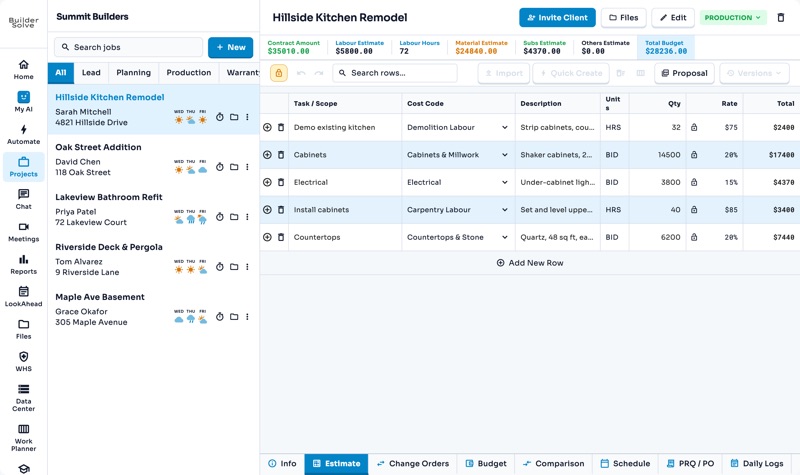
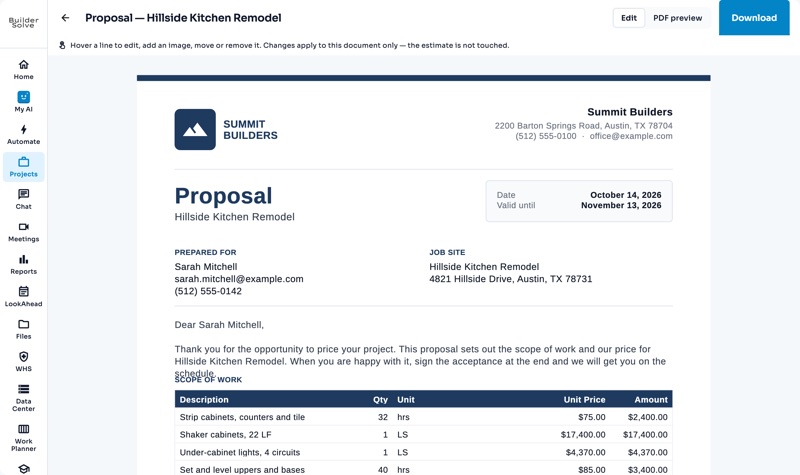
Snapshots keep each version of an estimate as plans develop. When it is ready, the estimate becomes a branded proposal PDF with line items and totals already filled in.
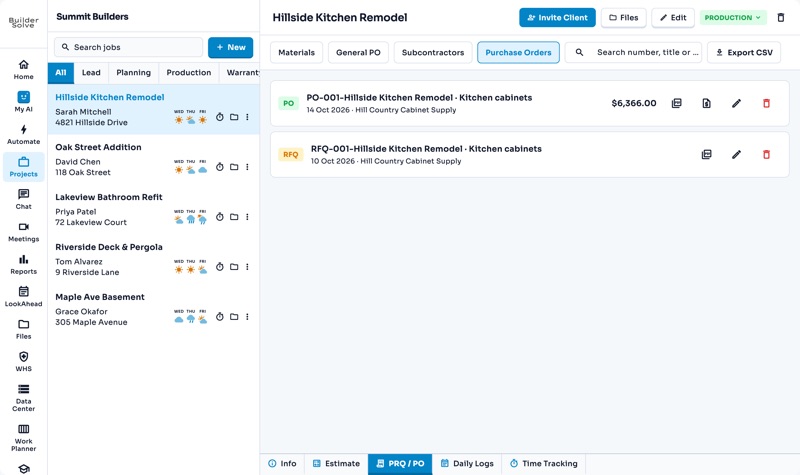
Tick the lines you are buying from one supplier and their prices and cost codes fill in the purchase order. The supplier’s quote is filed with it, so the price can be checked later.
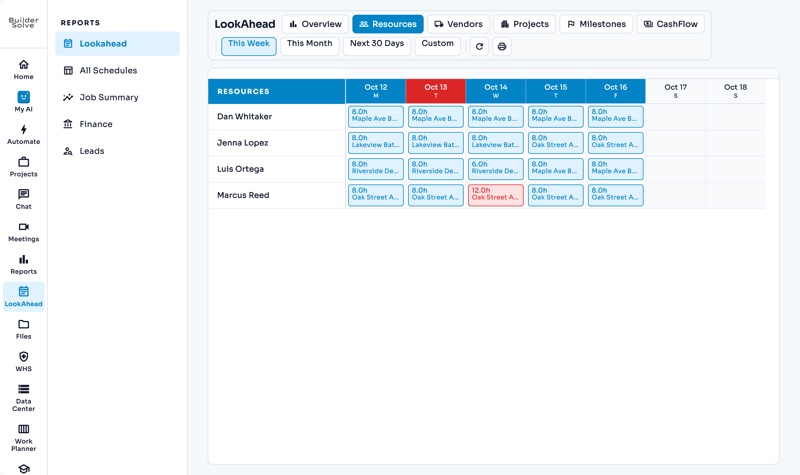
LookAhead shows money due in from billing milestones and money due out on materials and subs, job by job. The client sees what they have paid and what is due next in their portal.
There is no dedicated selections module, and QuickBooks is read, not written to. Your books stay in QuickBooks. See how we compare.
Auto tasks follow the task before them, so a delay flows through. Manual tasks keep the dates you set.
Yes. Tick estimate lines, pick a supplier and generate a numbered PO that is filed with the job.
Book inspections against predicted finish dates and tie downstream trades directly to sign-offs to eliminate site downtime.
Stacking crews on a late job causes trade stacking and rework; fix the sequence of the critical path before spending money on labor.
A schedule of values tied directly to estimate line items eliminates payment disputes before the first draw inspection.